How do I apply a promotional or discount code?Updated 8 months ago
To use a Lovepop Discount or Promo code, please follow the steps below:
Desktop
- Add items to your cart. When finished adding items to your cart, select the red “checkout” button.
- Type the discount code in the box and select the red “Apply” button. The page should update to show your code has been applied and is now in use.
Mobile or Tablet
- Add items to the cart, then select the red checkout button.
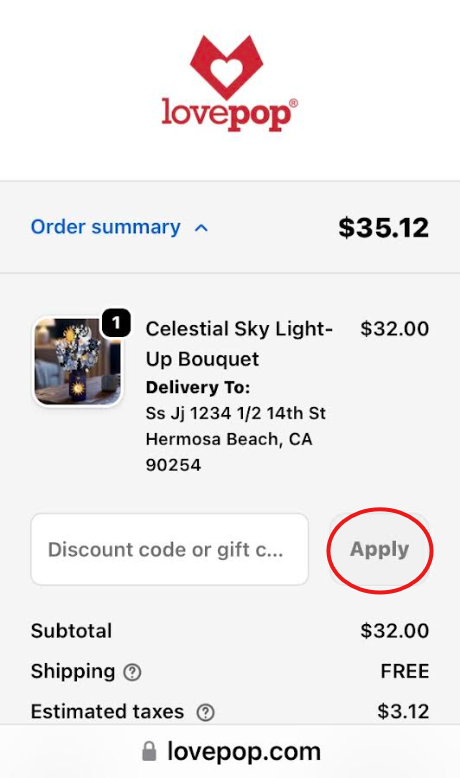
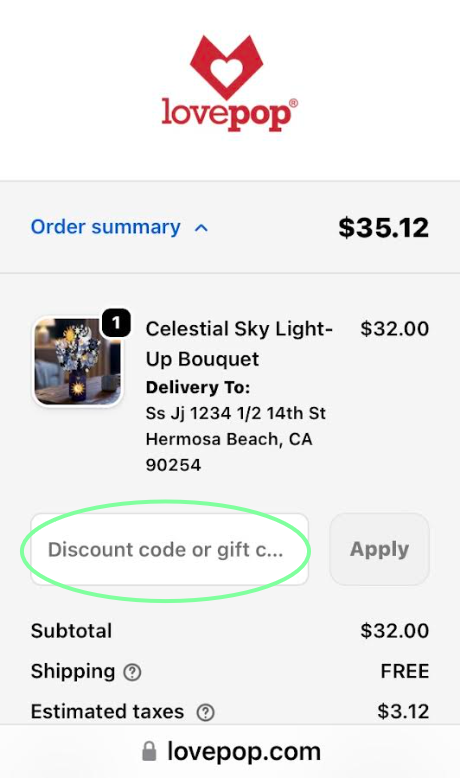
- On the new page, enter the discount code in the empty field.
- After inputting the code, select "Apply," and the discount code should now be applied and reflected in your order.
Desktop Instructions
Step 1 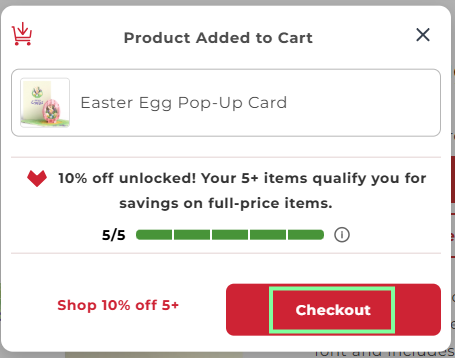
Step 2
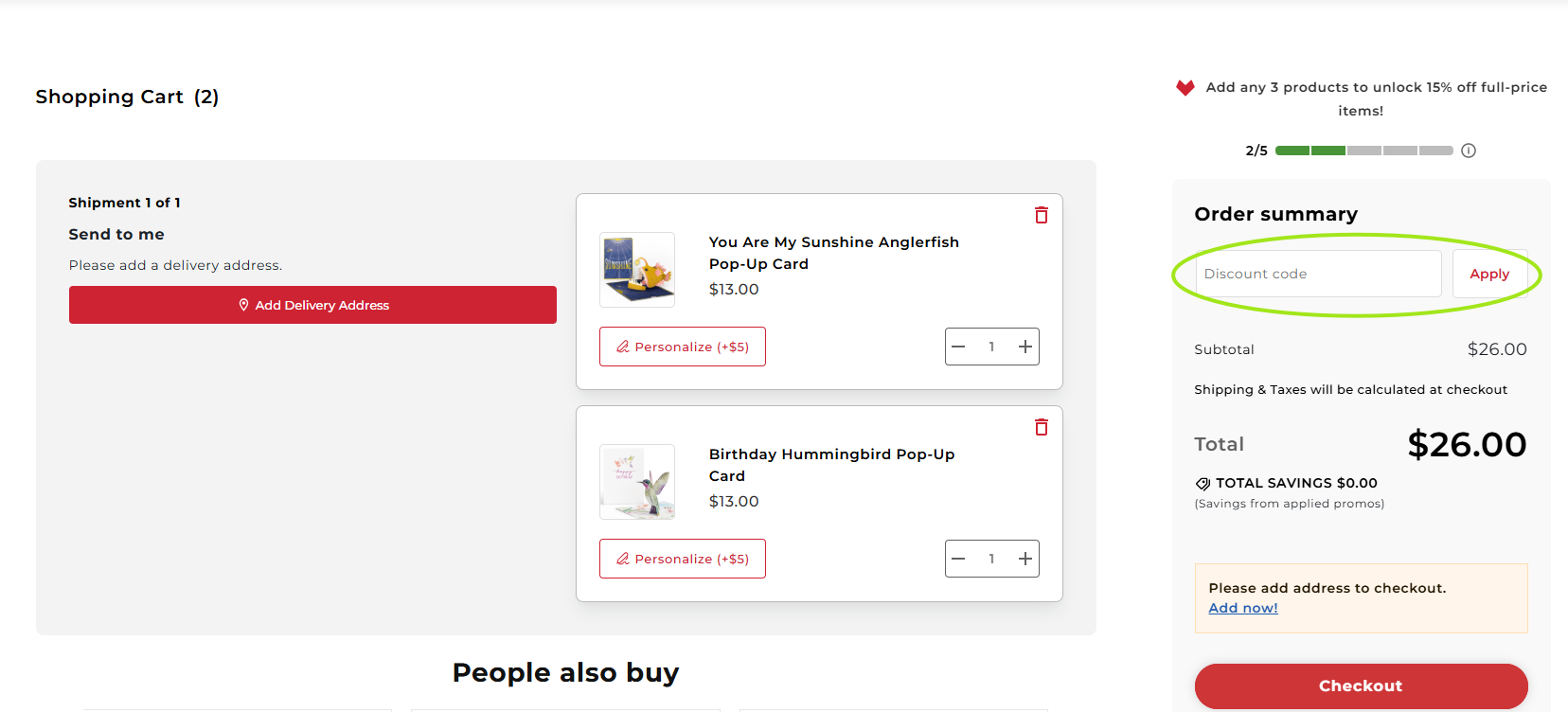
Mobile & Tablet Instructions
Step 1
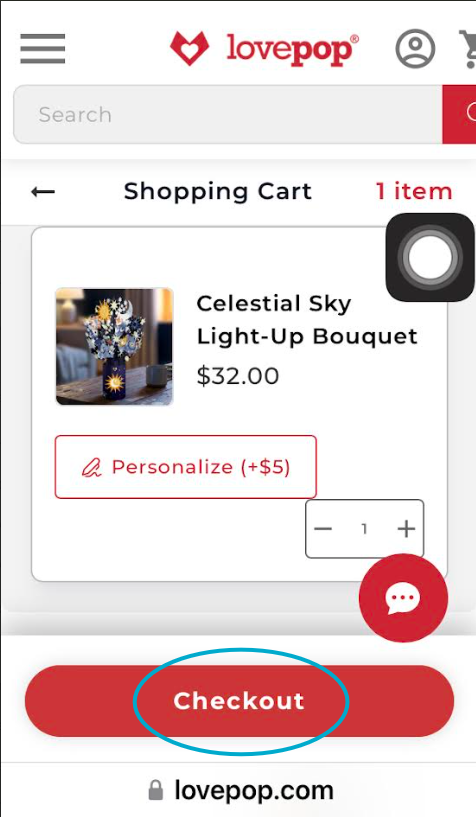
Step 2
Step 3